The modules
Time tracking
On every project, always. Recording where the hours went — whether or not anyone is billed for them.
Time tracking is not a paid extra. Every project has it. Only Billing — rates and invoices — is one of the modules you switch on, so you can track time forever without ever turning billing on.
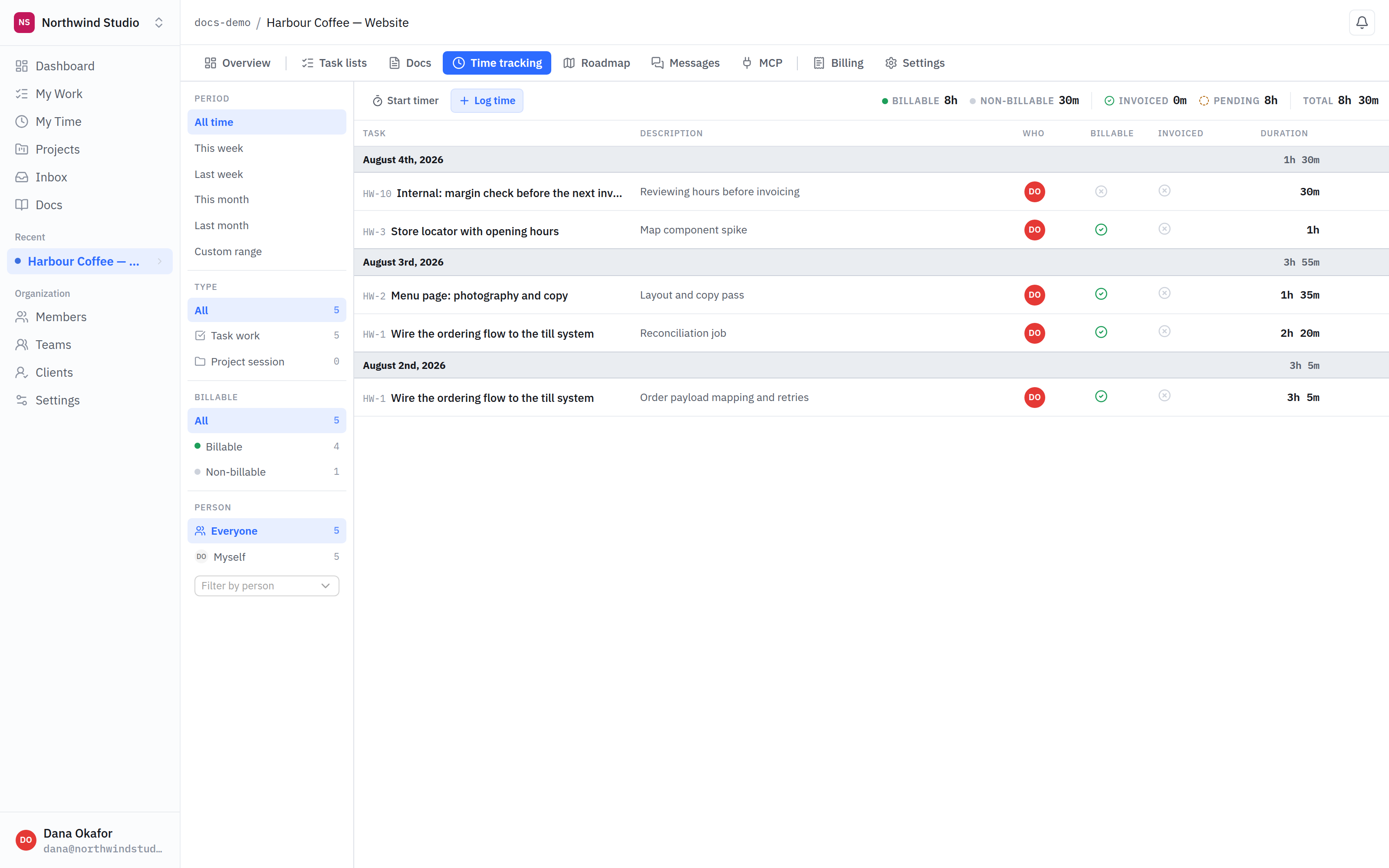
- Entries. Each one belongs to a task, so time is attached to work rather than floating in a timesheet.
- Billable or not. Marking time billable is what makes it eligible for an invoice later. Internal time simply is not.
Recording time
- Run a timer while you work, and stop it when you are done.
- Enter it afterwards — a duration, a date and a note, against the task it belongs to.
Either way the entry is attached to a task, which is what makes the total meaningful later: you can answer "how long did that actually take" without reconstructing it from memory.
Billable and non-billable
Each entry is marked billable or not. Non-billable time still gets recorded — internal reviews, admin, work you have decided to absorb — it simply never appears on an invoice.
That distinction is worth being deliberate about, because it is the one that determines what a client is asked to pay for.
Your own time
My time in the sidebar collects your entries across every project, which is the view you want when filling in a week rather than looking at one engagement.
What is next
Billing turns billable time into an invoice.