The modules
Roadmap
Optional, per project. What you are prepared to say publicly about where the work is going.
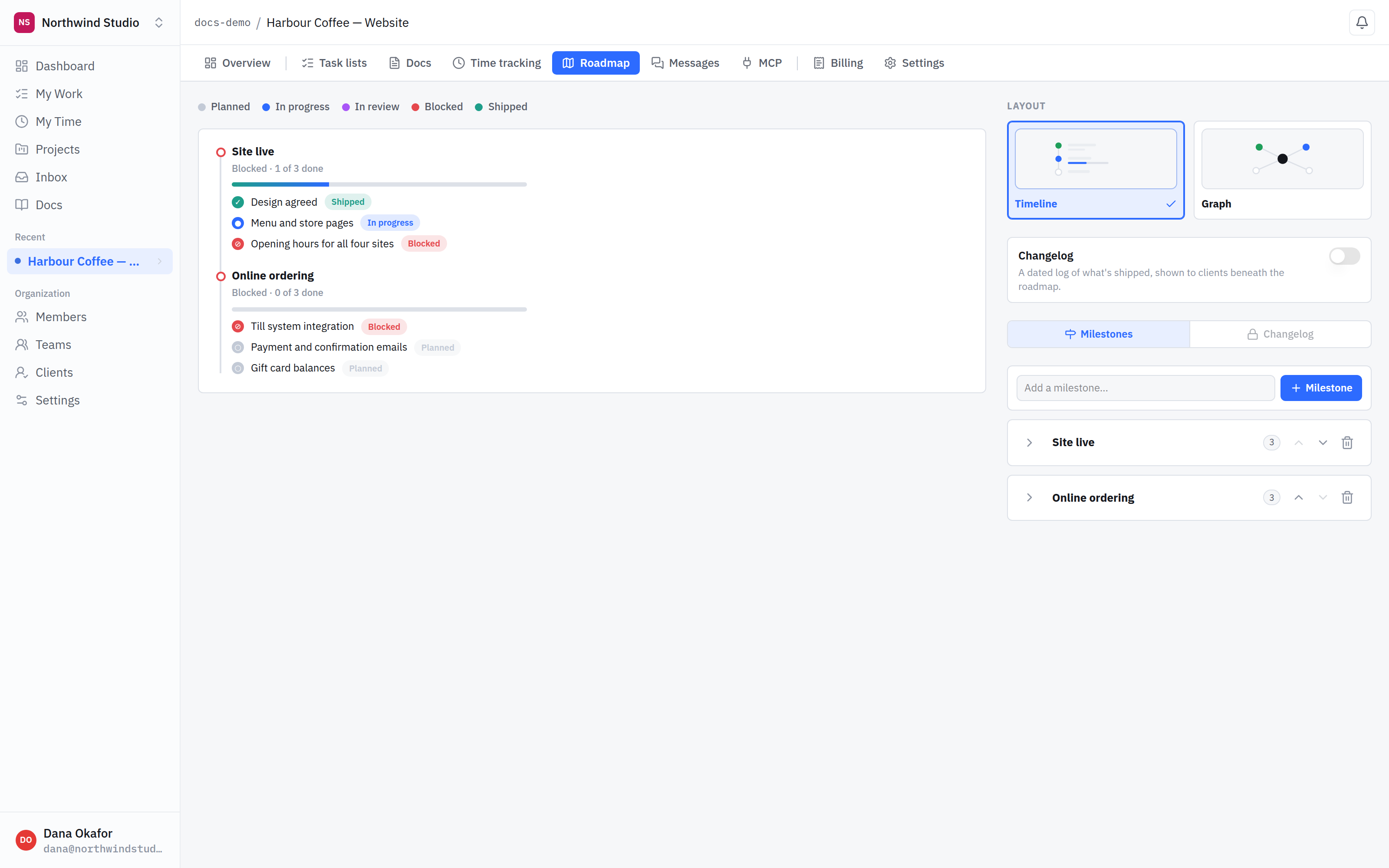
- Milestone. A chunk a client would recognise, carrying its own rollup — here, blocked with one of three items done.
- Blocked. One blocked item marks the whole milestone blocked, and the client sees it. Frequently the blocker is something you are waiting on from them.
- Two layouts. The same milestones as a timeline or as a graph. Timeline is the one selected here.
What it is for
Clients ask where things are. Answering with a task board is worse than not answering: it is full of half-finished thinking, internal notes and work that may never happen. A roadmap is the deliberate version — milestones, and what sits under each.
Milestones and items
- A milestone is a chunk a client would recognise — "ordering live", "brand refresh".
- An item is a piece of that, with a status: planned, in progress, in review, shipped — or blocked.
Blocked is the useful one
Marking an item blocked marks its milestone blocked too, and the client sees it. That is frequently the most valuable thing on the page, because the blocker is often them — content not sent, approval not given. It is a great deal easier than sending that email.
The roadmap is meant to be seen. Unlike most of a project, this surface exists to be shared. Keep it at the level you would say out loud in a meeting.
Keeping it current
A roadmap nobody updates is worse than none, because it quietly misinforms. Move statuses as work lands — it is a smaller job than the conversation that follows a stale one.