The modules
Task lists
Always on, in every project. Where the work itself lives.
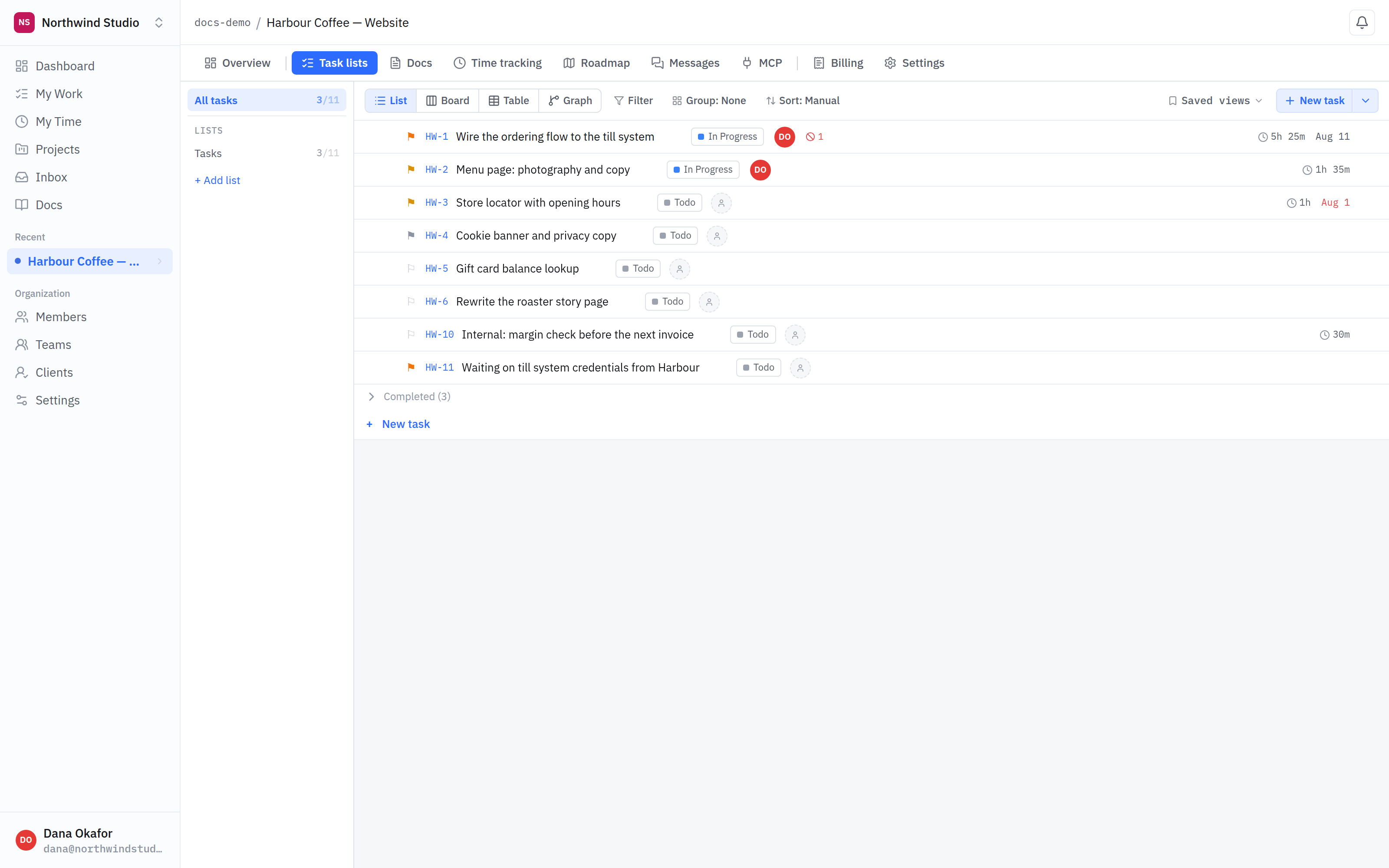
- Lists. A project can have several. Each has its own stages, so a support queue and a build backlog do not have to share a workflow.
- Four views. List, board, table and graph — the same work, arranged differently. Switching is a display choice, not a move.
- An internal task. Marked internal, so a client never sees it.
Lists and stages
A project starts with one list. Add more when a project has genuinely different kinds of work — a build backlog and a support queue want different stages, and forcing them into one pipeline makes both worse.
Stages are the columns work moves through. Each list has its own, and each stage has a category underneath it — to do, in progress, blocked, done, discarded — which is what the dashboard counts. Rename stages freely; the category is what carries meaning.
The four views
- List — everything in order, fastest to scan.
- Board — one column per stage, for moving work along.
- Table — every field at once, for bulk edits and sorting.
- Graph — how work blocks other work.
Subtasks, blockers and references
A task can have subtasks, and can be marked as blocked by another task. A blocked task shows what is blocking it on the dashboard — and a blocker that is already finished does not count, which is usually what you want.
Typing a task's key anywhere — a comment, a document, another task — turns into a link back to it, with a backlink at the other end.
Internal tasks. A task, or a whole list, can be marked internal so clients never see it. See internal vs client-visible.