The modules
Docs
Always on, in every project. Where the writing lives — briefs, notes, specifications, and the files that go with them.
Two things called Docs. This page is about the Docs module inside a project. The documentation you are reading is a separate thing entirely.
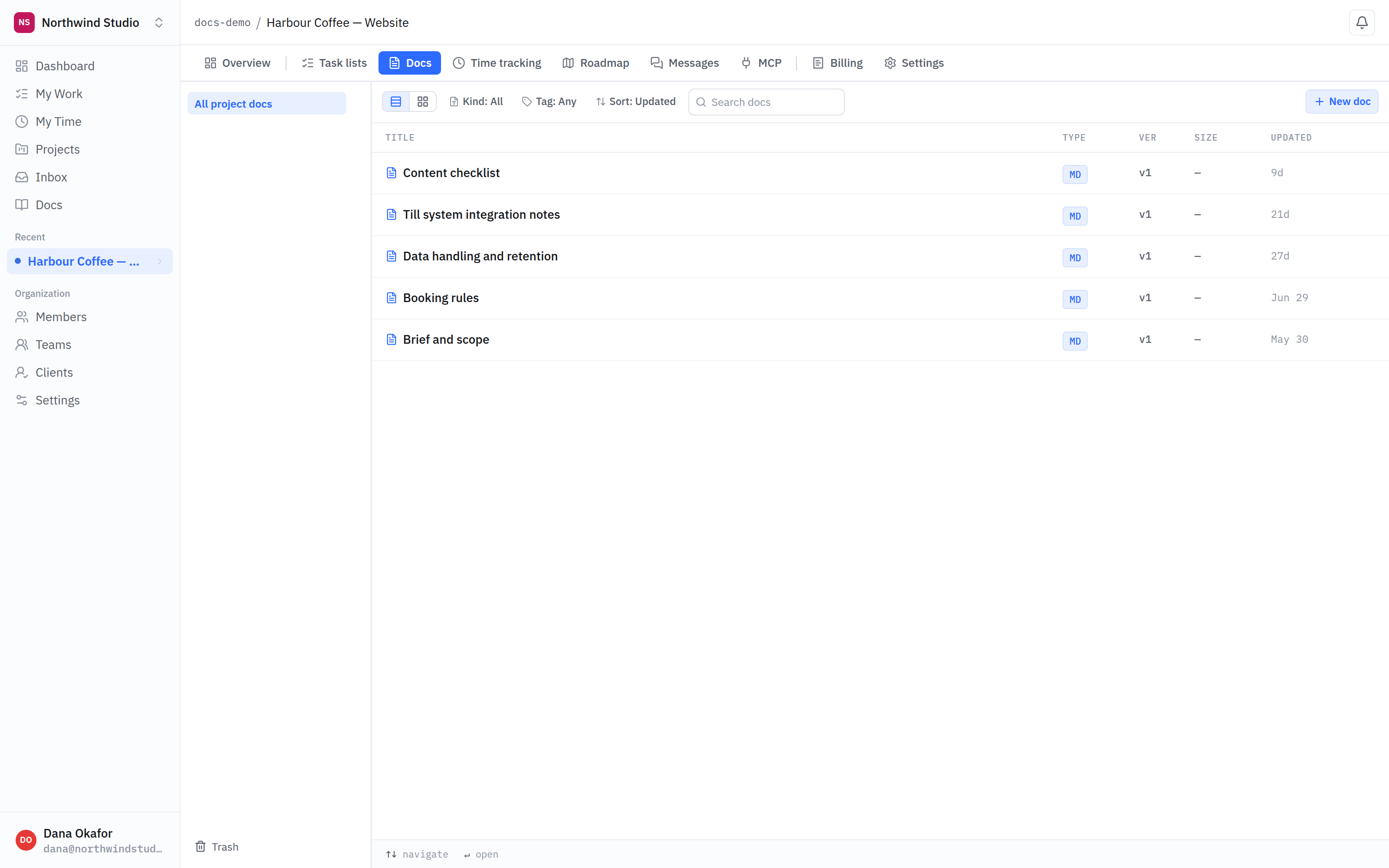
- Scope. This project’s documents. Folders appear here as you add them, with the project’s own Trash at the bottom.
- Kind. MD is a document written here. Uploaded files and links to somewhere else sit in the same list, marked with their own kind.
- Version. Every document carries one. Editing keeps the previous version rather than overwriting it.
What a doc can be
- Written here — a document you type, with formatting, checklists and links.
- An uploaded file — a PDF, an image, anything you need beside the work.
- A link to somewhere else — a Google Doc, a Figma file, a page on your own site. It appears as a proper entry with its title, not a bare URL.
Linking out matters more than it sounds: the alternative is a URL pasted in a task comment that nobody can find again three weeks later.
Versions
Editing a document keeps the previous version rather than overwriting it. You can look back at what a brief said before it changed, and restore it if the change was wrong. That makes a document safe to edit in place instead of accumulating "brief v2 final FINAL".
Folders
Documents can sit in folders inside a project. Organisation-level documents also exist, for things that belong to your company rather than to one piece of client work.
Linking to work
Mentioning a task's key inside a document links to it, and the task shows the document referring back. A specification and the work implementing it stay attached without anyone maintaining an index.
Internal documents. A document can be marked internal so clients on the project never see it — drafts, internal estimates, anything not meant for the other side. See internal vs client-visible.