Getting started
Switching modules on
A project shows only the modules it needs. This is where you choose them — and it is the mechanism behind everything else in the product.
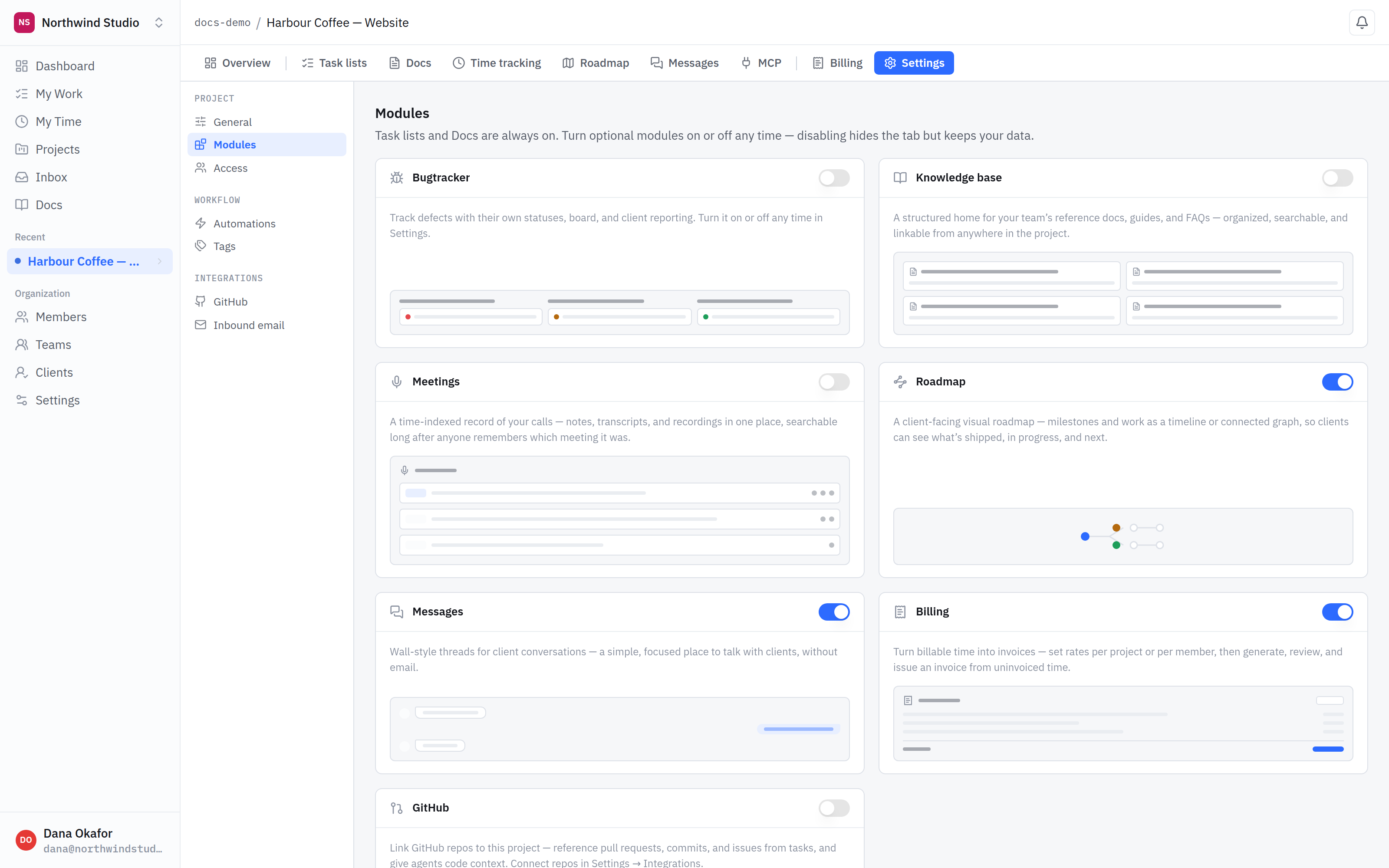
- Settings → Modules. Per project, not per organisation. Two projects side by side can look completely different.
- Always on. Task lists, Docs and time tracking are part of every project and have no switch.
- Switched on. The module appears as a tab along the top of the project the moment you enable it.
- Switched off. No tab, no menu entry, nothing to scroll past. The module is simply not there for this project.
What is always there
Every project has task lists, documents and time tracking from the moment you create it. There is no switch for those, and nothing you can do to a project removes them.
Tracking time is part of that core set. Only Billing — rates, and turning tracked time into invoices — is one of the optional modules, so a project can record time without ever billing for it.
Turning one on
- Open the project, then Settings → Modules.
- Flip the switch on the module you want.
- It appears immediately as a tab along the top of the project.
Turning one off
Disabling a module hides its tab. It does not delete anything. Turn it back on and your bugs, threads, invoices or roadmap are exactly where you left them.
This is per project, deliberately. An internal project can be a task list and nothing else while the client engagement beside it has a roadmap the client can see, a message thread and invoices. Same platform, different surface — which is the point.
Which modules exist
- Bugtracker — defects with their own statuses, board and client reporting.
- Roadmap — a client-facing timeline of milestones and what is shipped, in progress and next.
- Messages — threads for talking to a client without email.
- Billing — rates per project or per member, and invoices generated from uninvoiced time.
- Knowledge base — a structured home for reference docs, guides and FAQs.
- Meetings — notes, transcripts and recordings, searchable long afterwards.
- GitHub — links repositories so pull requests and commits attach to tasks and bugs. It adds no tab of its own.
What is next
Modules decide what a project contains. Inviting your team decides who can see it.