How it fits together
Organisations and projects
There are two levels and no more: your organisation, and the projects inside it. Almost every question about who can see what resolves at the project.
Your organisation
The organisation is your company. It holds your people, your clients, your teams and every project. Most people belong to exactly one.
Projects are flat
A project is the unit of work and the unit of access. There are no sub-projects and no folders — if two pieces of work need different people, a different client, or a different set of modules, they are two projects.
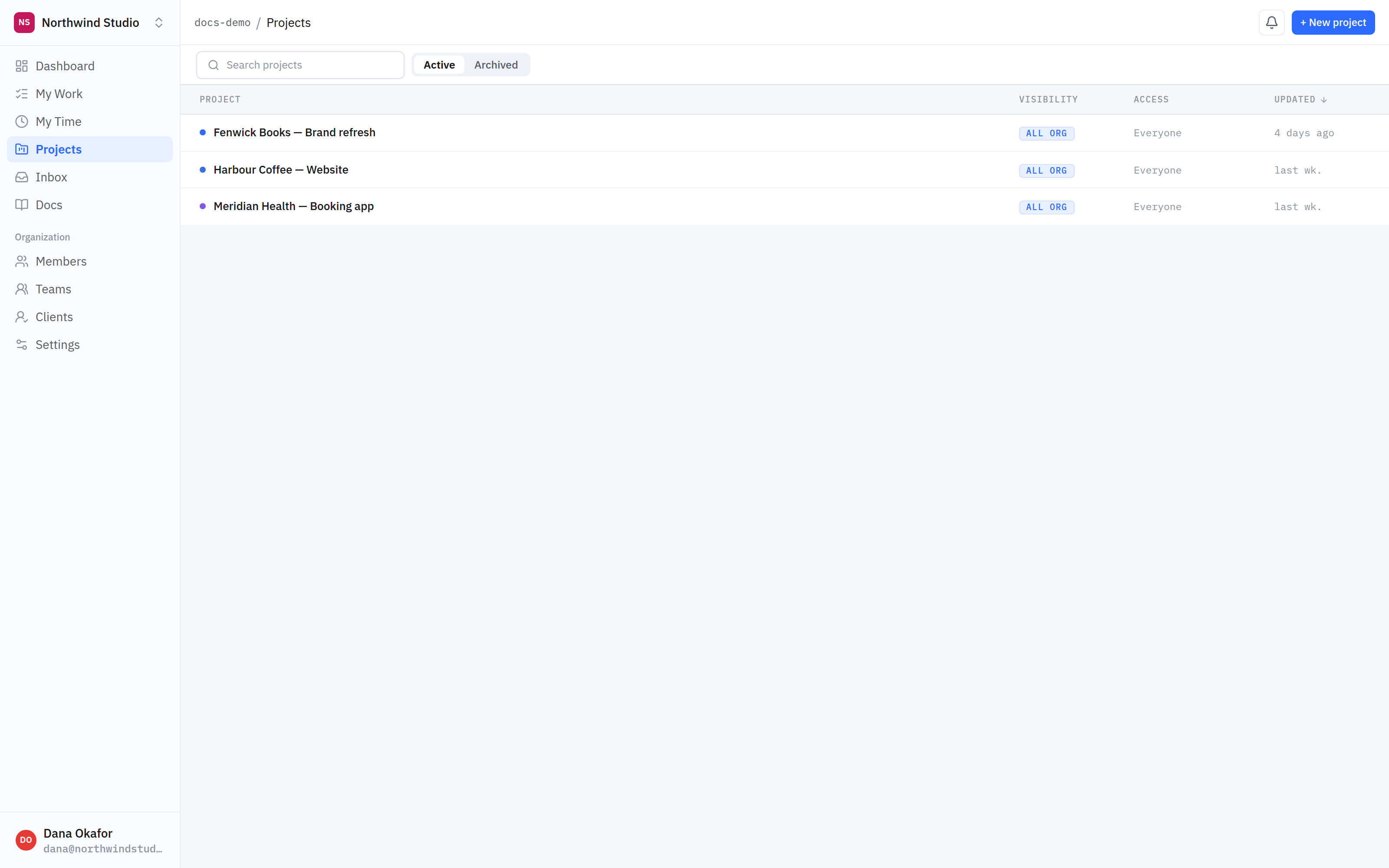
- Every project. One flat list. No sub-projects, no folders of projects, nothing to expand.
- Visibility. All org means everyone on your team can open it. Restricted means only the people and teams you name.
- Access. Who that works out to in practice. Clients and outside collaborators never appear here by default — they are always granted explicitly.
Flatness is the feature. Nested structures are where permissions go wrong: someone inherits access through a parent they never looked at. Here, if you want to know who can see something, you look at one project.
Visibility: all org, or restricted
- All org — everyone on your team can open it without being added. The normal case for internal work.
- Restricted — only the people and teams you name. Use it for anything your whole team should not walk into.
Neither setting ever reaches outside your company. A client or an outside collaborator only gets to a project by being granted it explicitly, whatever its visibility says.
Clients
A client is a company you work for. Attaching one to a project is what makes the client-facing surfaces — the roadmap, message threads, invoices — available to share. It does not share anything on its own.
What is next
Projects decide where. Teams and roles decide who, and internal vs client-visible decides what an outsider sees once they are in.