Getting started
Your first project
A project is the unit of work and the unit of access. Everything else — who can see what, which modules are on, what a client is shown — hangs off it.
Creating one
- Go to Projects and choose New project.
- Give it a name. The short key on its tasks (like HW-1) comes from that name, so something recognisable helps.
- Attach a client if the work is for someone outside your team. You can add one later, but it is what unlocks the client-facing parts.
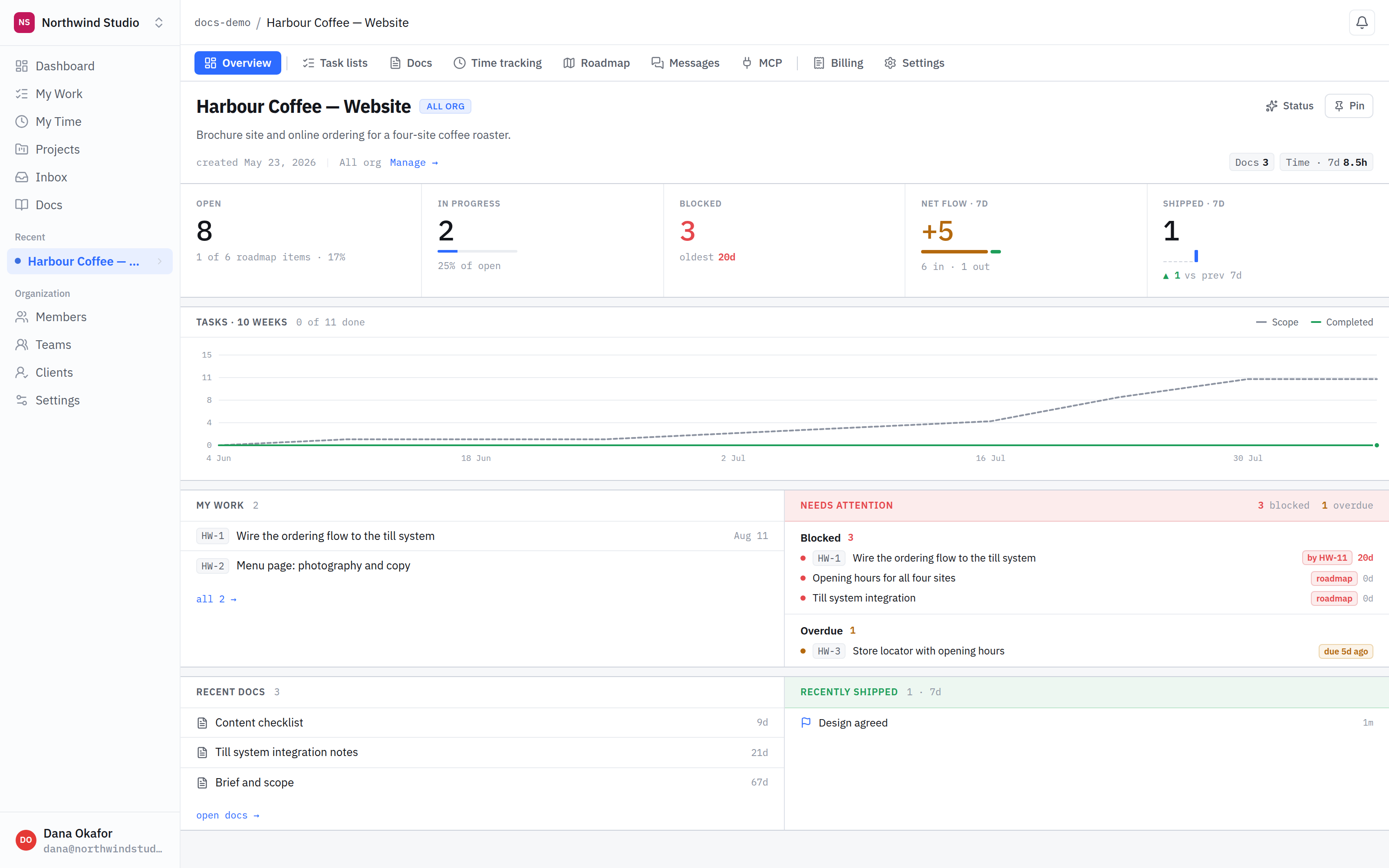
- Where you are. The organisation, then the project. Projects are flat — there is nothing between the two.
- The project tabs. One per module this project has switched on, plus the ones that are always there.
- Recent. The projects you have been in lately, so you are not hunting through a list each time.
What you get straight away
Every new project starts with task lists, documents and time tracking, plus a default list to put work in. Nothing else is switched on, which is deliberate: you add what the project needs rather than dismissing what it does not.
Projects are flat. There are no sub-projects and no folders of projects. If two pieces of work need different people or a different client, they are two projects.
Attaching a client
A client is a real organisation you work for, and — once you invite them — real people who log in. Attaching one does not expose anything on its own; it is what makes the client-facing surfaces available for you to share deliberately.
What is next
Next, decide what the project actually contains: switching modules on.